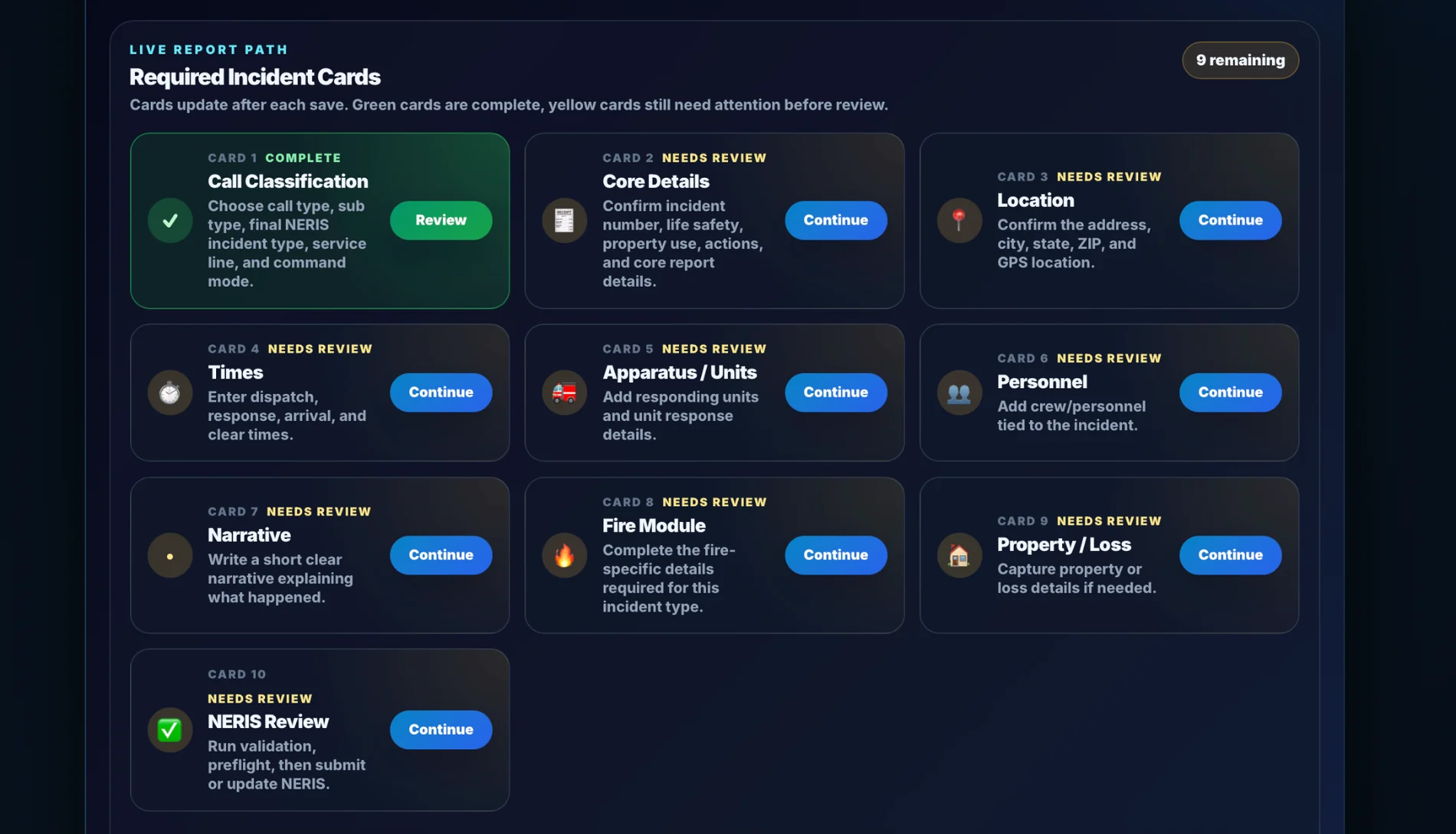
Guided intake
Crews follow a simple incident path instead of hunting through screens.
Start with your incident workflow, report requirements, Station Board needs, and NERIS implementation path. PSOps can be configured around your department instead of forcing boxed software habits.
Start with your incident workflow, report requirements, Station Board needs, and NERIS implementation path. PSOps can be configured around your department instead of forcing boxed software habits.
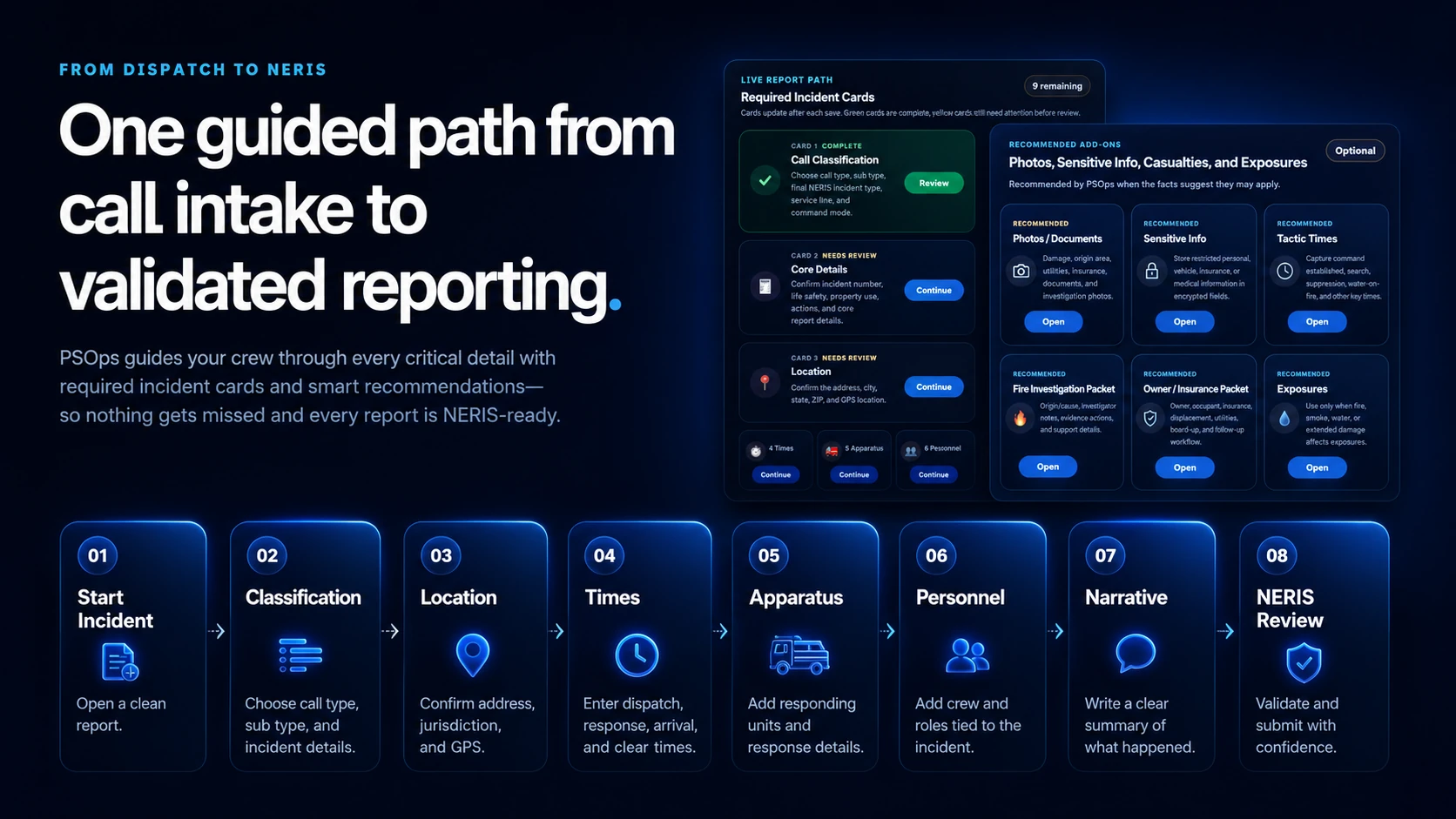
Give crews a clear path from incident intake to required details.
Show open incidents, needs attention items, and operational priorities.
Move toward cleaner reporting and stronger NERIS readiness.
These visuals show the workflow, reporting visibility, and station awareness PSOps brings together.
Crews follow a simple incident path instead of hunting through screens.
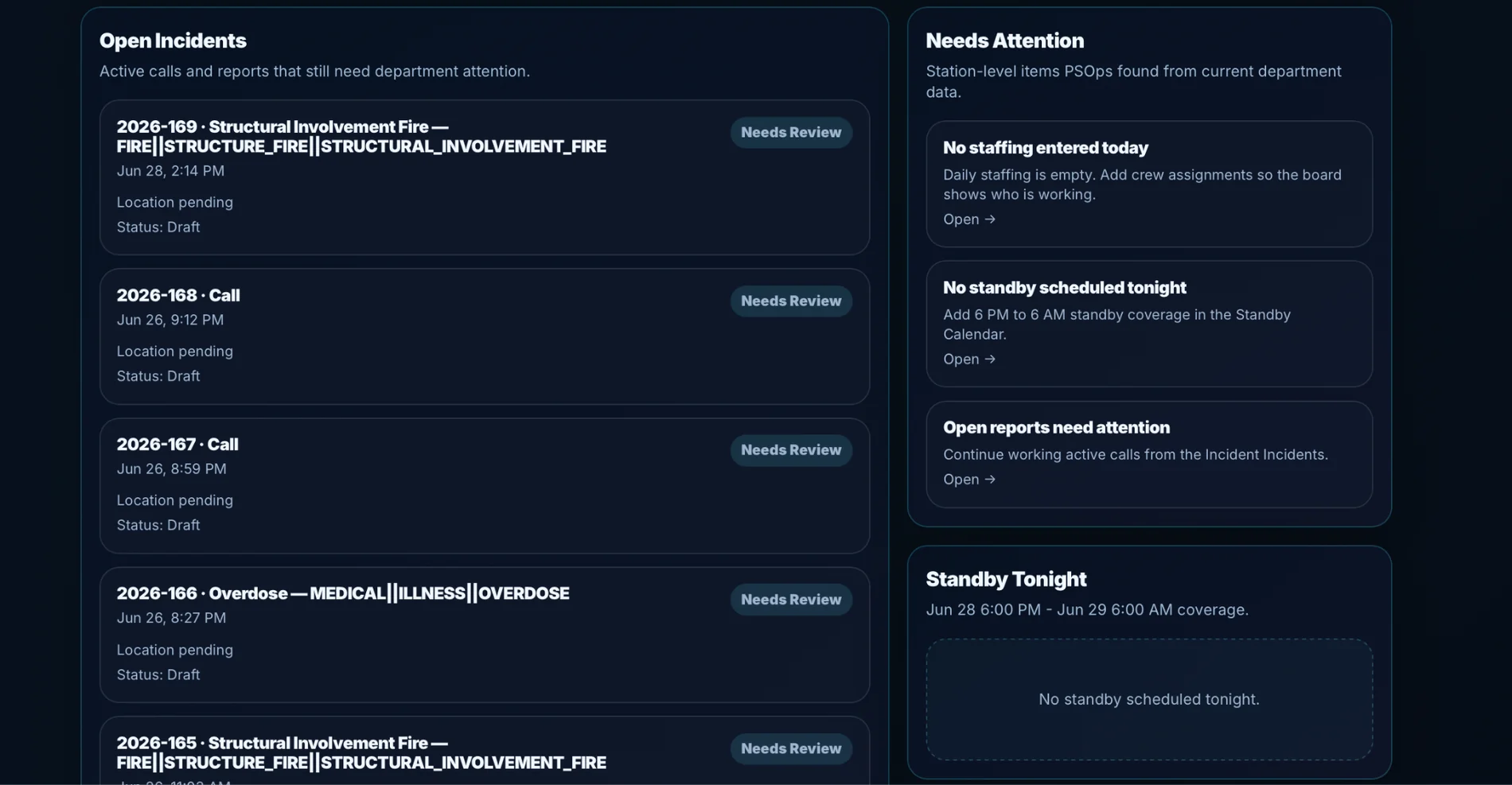
Open reports and missing details stay visible for officers and officers.
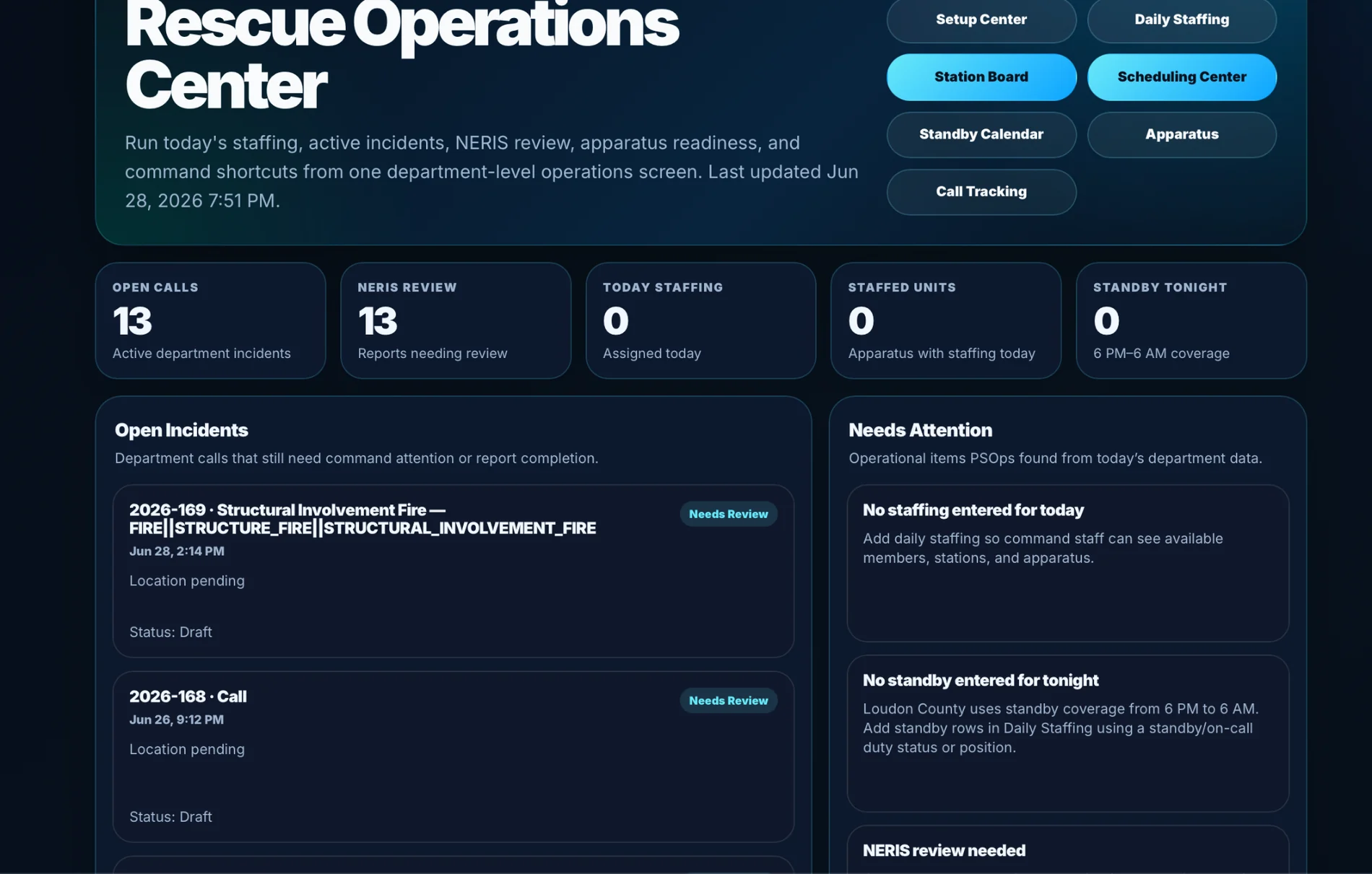
Leadership can see the operational picture in one place.