Guided incident records
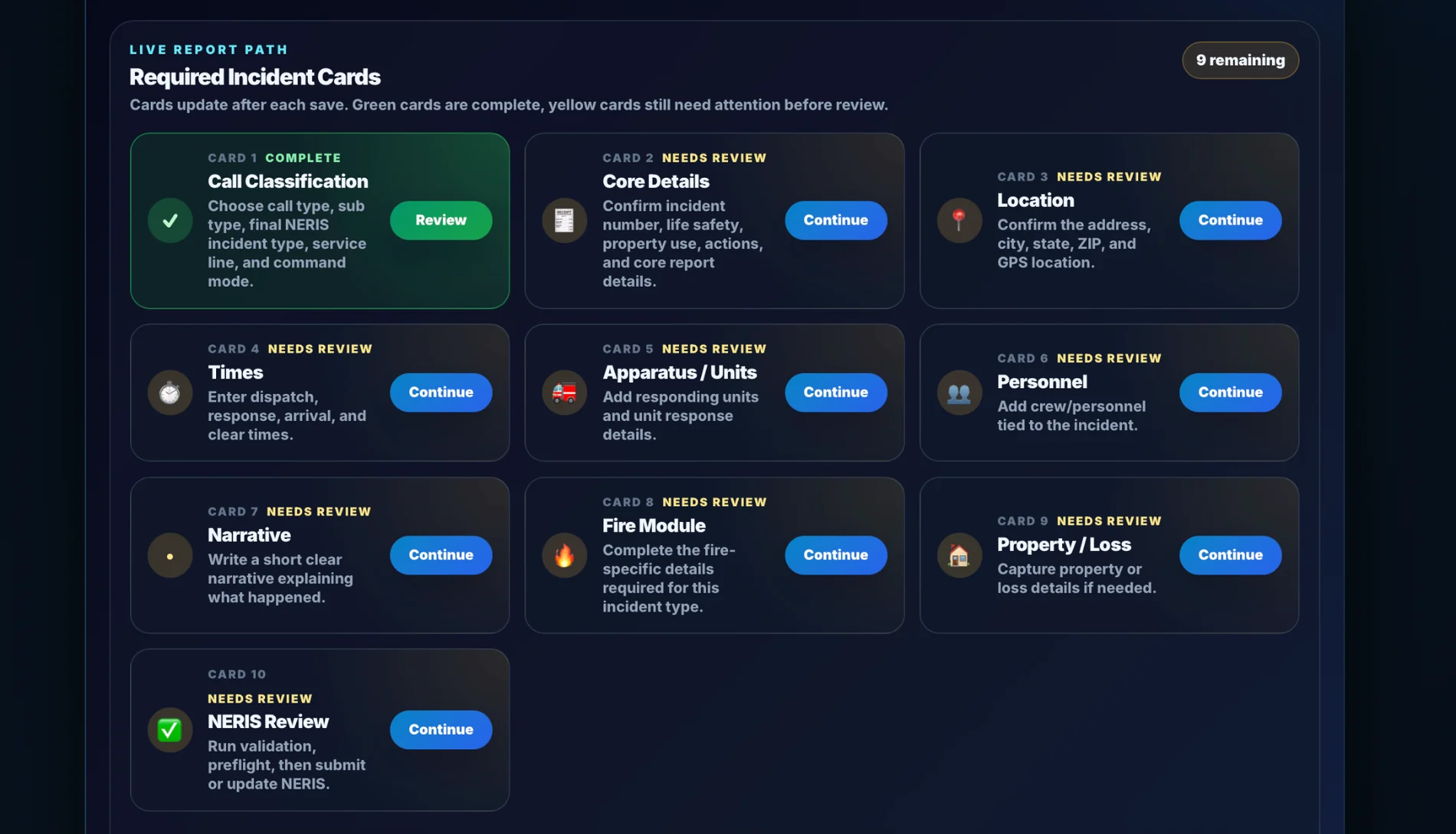
Crews see a reporting path that is easier to follow than a traditional RMS screen maze.
PSOps gives fire departments a cleaner RMS story: guided incident reporting, operational review, station visibility, and reporting readiness in one modern workflow.
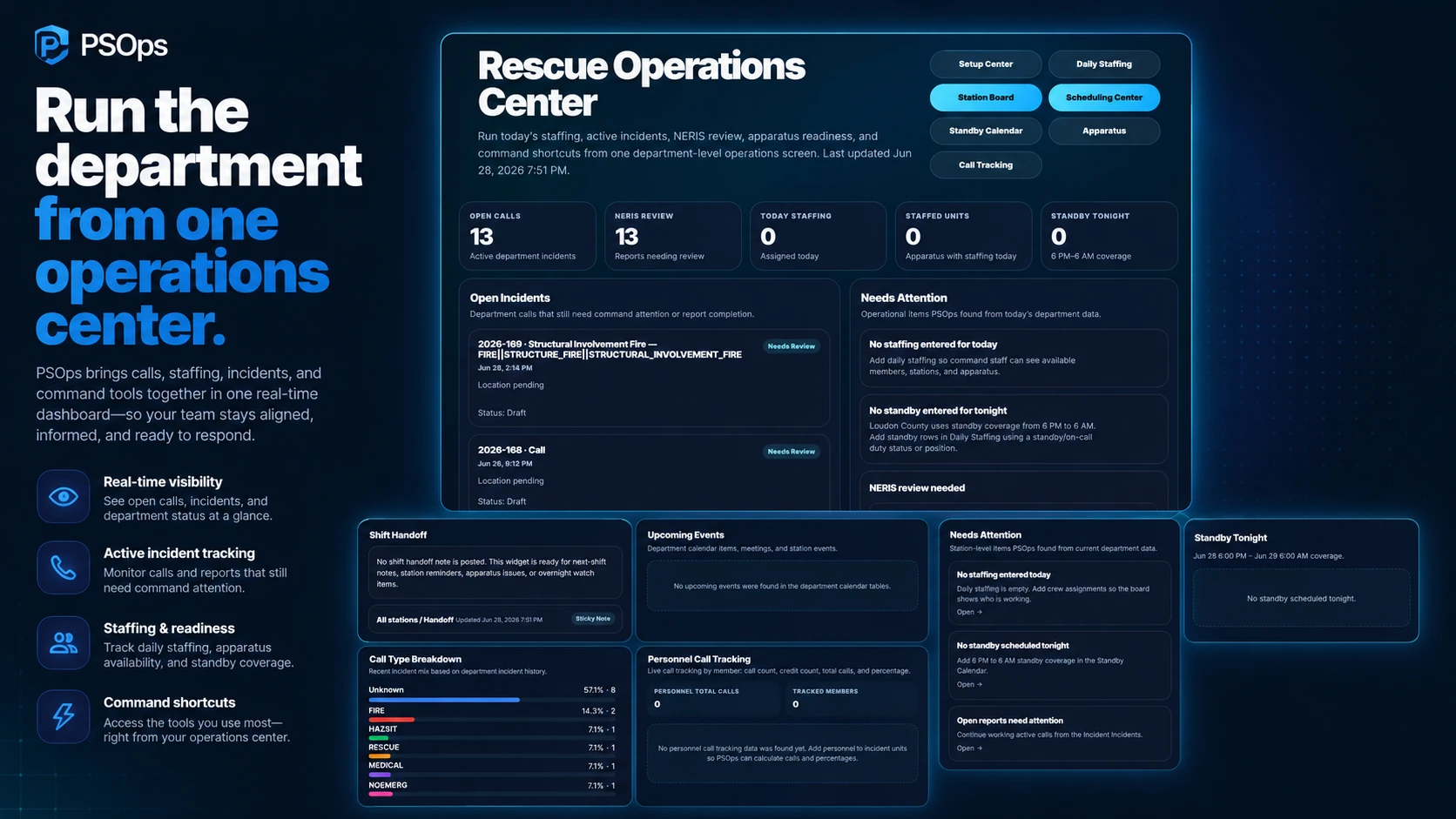
PSOps is positioned around the real fire department workflow: capture the call, guide the report, review missing details, and keep leadership aware.
Guide users through the incident path with a cleaner reporting experience.
Connect apparatus, personnel, recommended add-ons, and operational context.
Keep open incidents and missing details visible before they become report cleanup.
Build toward cleaner NERIS-ready data and stronger department records.
Departments need fast reporting, officer review, station visibility, and leadership awareness without forcing crews into a maze of disconnected screens.
Crews see a reporting path that is easier to follow than a traditional RMS screen maze.
These are the kinds of real PSOps screens departments can understand quickly during a demo.
Incident cards help crews move through the report path.
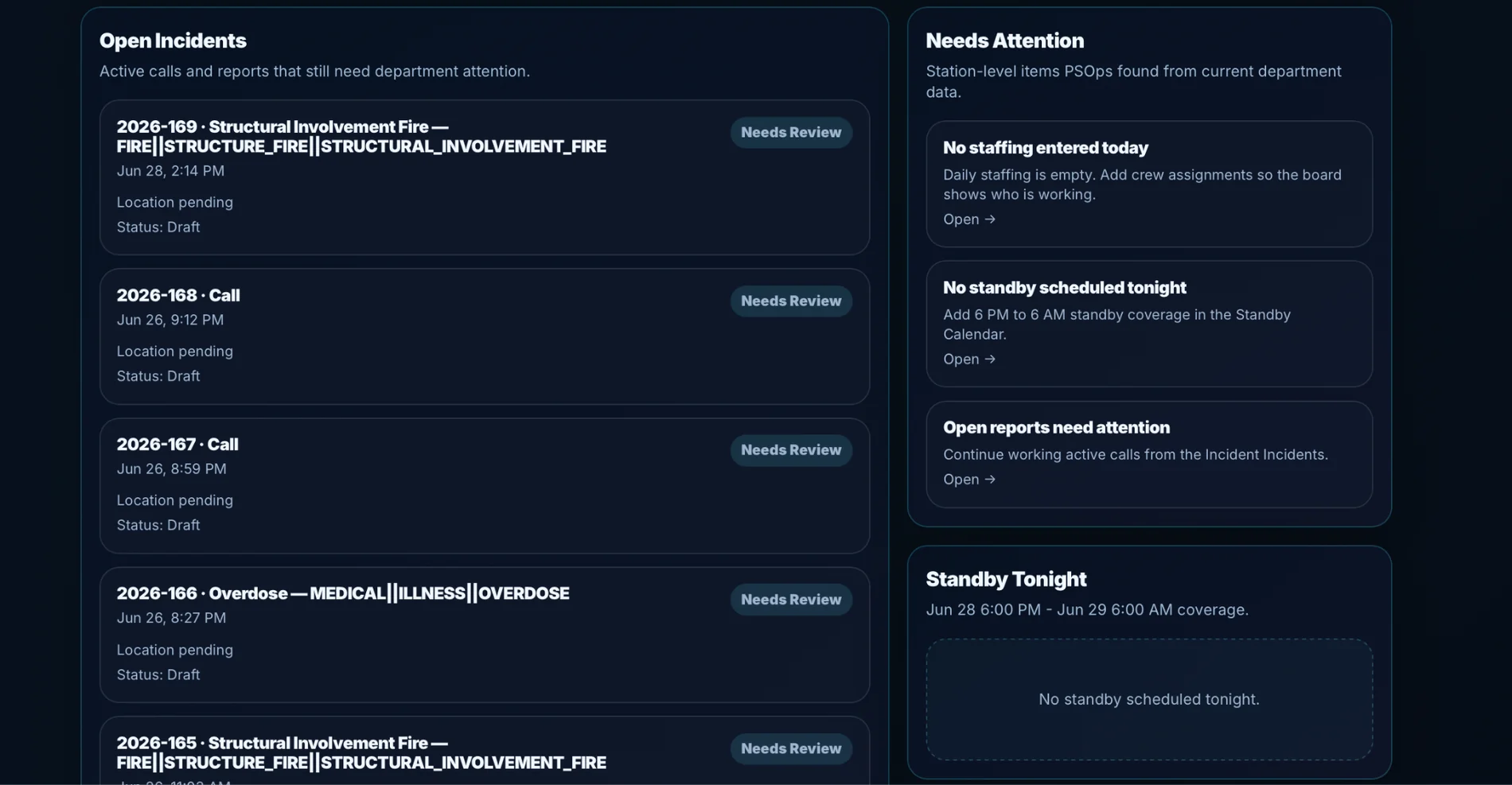
Open work stays visible for review and follow-up.
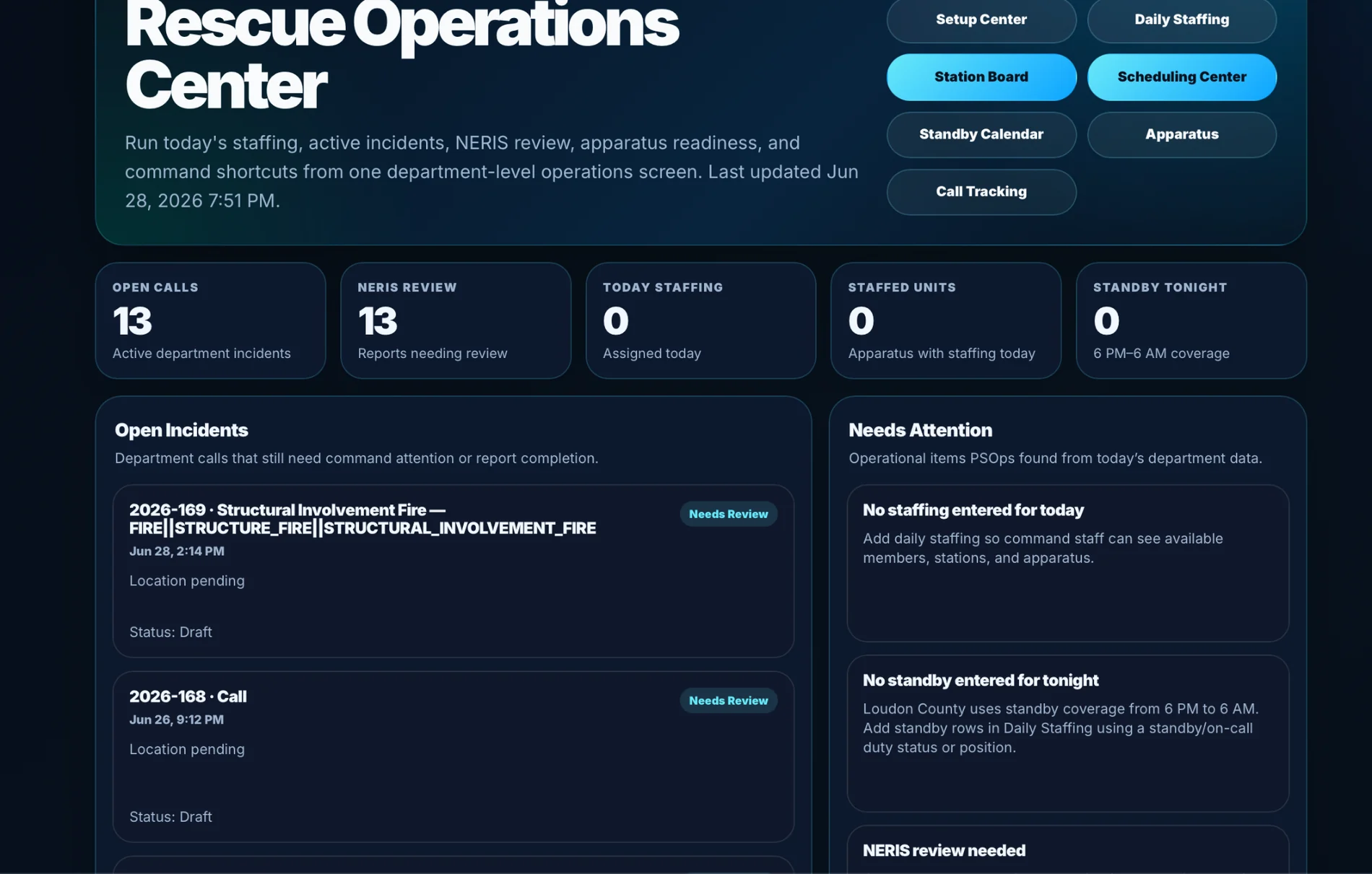
Leadership can see operational work in one place.
Instead of only storing records, PSOps is being shaped around guided completion, command review, and station awareness.
Cleaner guided reporting and fewer confusing screens.
Open incidents, missing details, and review status stay visible.
A better operational picture across reports, stations, and NERIS readiness.
No. PSOps is being built as an operations platform that starts with guided reporting and expands into review, visibility, Station Board, and NERIS readiness.
Yes. The demo request can be used to ask for a walkthrough of incident reporting, open report review, and department setup.
Yes. The Platform story connects reporting workflow and Station Board visibility instead of treating them as separate products.
Request a demo focused on fire RMS workflow, incident review, Station Board visibility, and NERIS-ready reporting. The request goes to the PSOps team so we can follow up with the right workflow and next steps.